
DIY SEO: the path we took ourselves.
An SEO agency typically costs a four-figure sum every month – before the first euro of ad budget is spent. Hardly any founder can afford that from day one. So we built Sumaro’s visibility ourselves, with an AI coding agent and live data – and we lay out the complete path here: every tool, every formula, every number. Nothing held back.
Why we publish this: Sumaro sells bookkeeping software, not SEO consulting. So we lose nothing if you copy our approach – quite the opposite: if it helps you win clients, you will have invoices to write afterwards. That is why everything an agency would otherwise charge for is here. And because our own website was only a few days old when we wrote this guide, there are no polished success stories: we document what we do and what it costs – and we add the results below in the results log, month by month, even if they don’t come.
Step 1 – The math: agency vs. doing it yourself
The reason to do SEO yourself is rarely curiosity – it is the bill. Ongoing agency support is usually billed monthly, plus setup and, if ads run in parallel, the ad budget on top. Our total data costs for everything this guide describes, on the other hand, are logged precisely:
| Item | Actual cost |
|---|---|
| First look at the market (14 requests) | $0.45 |
| Full SEO audit with live data (1,174 keywords, 50 requests) | $1.49 |
| Competitor and AI visibility measurement (21 requests) | $0.58 |
| Four follow-up rounds: gaps, new clusters, this guide (14 requests) | $0.27 |
| Live data in total, as of August 20, 2026 (99 requests) | $2.79 |
On top of that come running fixed costs you probably already have or need anyway: an AI subscription for the coding agent and hosting for the website – together, an order of magnitude below the price of a single agency hour. Current prices are on the providers’ websites; here we only state figures we paid and logged ourselves.
What the math doesn’t show: time. The path in this guide is not a push of a button but focused work in sessions of a few hours. The difference from an agency is that every one of those hours builds knowledge that stays with you.
Step 2 – The toolkit
Four tools, all linked in the sources below – exactly the combination this guide was made with:
Claude Code
The AI coding agent from Anthropic, which we use with the Opus model. It runs the research, writes the pages, builds the check scripts and reviews its own work in the browser. Runs in the terminal, as a desktop app or on your phone.
claude-seo (plugin)
An open plugin by Daniel Agrici with ready-made SEO skills for Claude Code: audits, keyword analyses, competitor comparisons – and a cost guard that checks the daily budget before every data request.
DataForSEO
The data source: an API account billed per request instead of per month. It delivers search volume, cost per click, difficulty, live search results and competitors’ rankings. Our requests usually cost between less than one cent and five cents.
Google Search Console
Free and non-negotiable: add your website, submit the sitemap. This is where your baseline comes from, the zero point you measure every bit of progress against.
Set them up in this order: install Claude Code, add the plugin from its GitHub repository, enter your DataForSEO credentials in the plugin’s connection, set a daily limit (ours: 10 US dollars – we never reached it), verify your website in Search Console.
Step 3 – Keyword research with live data
The most expensive mistake in DIY SEO is building pages on gut feeling. Before we build, every page gets four measured numbers: search volume, cost per click, competition and difficulty – plus the search intent and what Google shows on the results page (an AI Overview? Videos? Question boxes?).
Two directions supply the candidates: your own topics (what can we do, what do our clients ask?) and your competitors’ rankings – for a few cents, the API shows you the 100 search terms that bring each competitor the most traffic. For us, four competitors produced 361 terms; 229 of them were missing from our list, and after the truth filter from step 4, 20 were left. Four real finds from these measurements – German search terms, because our market is Germany:
| Search term | Searches/month | Difficulty | What we made of it |
|---|---|---|---|
| kundenakquise (client acquisition) | 4,400 | 1 / 100 | an open guide |
| mwst rechner (VAT calculator) | 60,500 | 11 / 100 | a free calculator tool |
| rechnung auf englisch (invoice in English) | 18,100 | n/a | noted – the feature exists, the page is still missing |
| auftragsbestätigung (order confirmation) | 3,600 | n/a | keyword for a freshly built feature |
The first row is the core of the method: find a term that 4,400 people search for every month, with a measured difficulty of almost zero – and that the big players still only serve in passing. You don’t spot gaps like that by thinking. You spot them in data.

Step 4 – Prioritize instead of guessing
Hundreds of measured terms become a ranked order – for us, through an open formula. Each term gets five sub-scores from 0 to 100, weighted into an overall score:
| Sub-score | Weight | Guiding question |
|---|---|---|
| Product fit | 30% | Can our offer really do this? |
| Buying intent of the search | 25% | Does someone want to solve something here – or just look something up? |
| Realistic chance to rank | 20% | How hard is page one, according to the measurement? |
| Demand | 15% | How many people search for this at all? |
| Opportunity on the results page | 10% | Are there spots beyond the blue links? |
More important than the formula is the filter in front of it: the truth list. A table that records, for every product feature, what demonstrably exists, which wording is allowed for it – and what must not be claimed. Every search term has to get past it. That is why terms with six-figure volume were cut for us: everything containing “kostenlos” (free – our product is paid, so visitors would leave disappointed), everything about features that don’t exist, and the entire “make money online” topic cluster that competitors use to buy reach with no connection to their product.
Step 5 – The content plan
For us, two files carry the whole plan, both versioned in the project: a master keyword list (every term with all its metrics, target page and priority) and a content map (every topic cluster with exactly one target URL, primary and secondary terms, title and notes). The iron rule: one cluster, one URL. Build three pages for “Rechnung schreiben” (writing an invoice) and you compete with yourself.
The least conspicuous trick is a check script that runs with every build: it verifies that every target page really exists and that no cluster points to two URLs – and a deliberately strict test breaks as soon as the page count no longer matches the documented state. Sounds pedantic, but it prevents the silent drift out of date that otherwise kills plans like this. You can simply hand this exact discipline to a coding agent – see the prompt in the next step, point 7.
Step 6 – Building pages with the coding agent
This is where the agent pays off: for us, it takes hours, not weeks, to get from a measured term to a published page. The morning this guide was written is the example – in the morning the measurement showed the calculator gap, in the afternoon the tool was live:
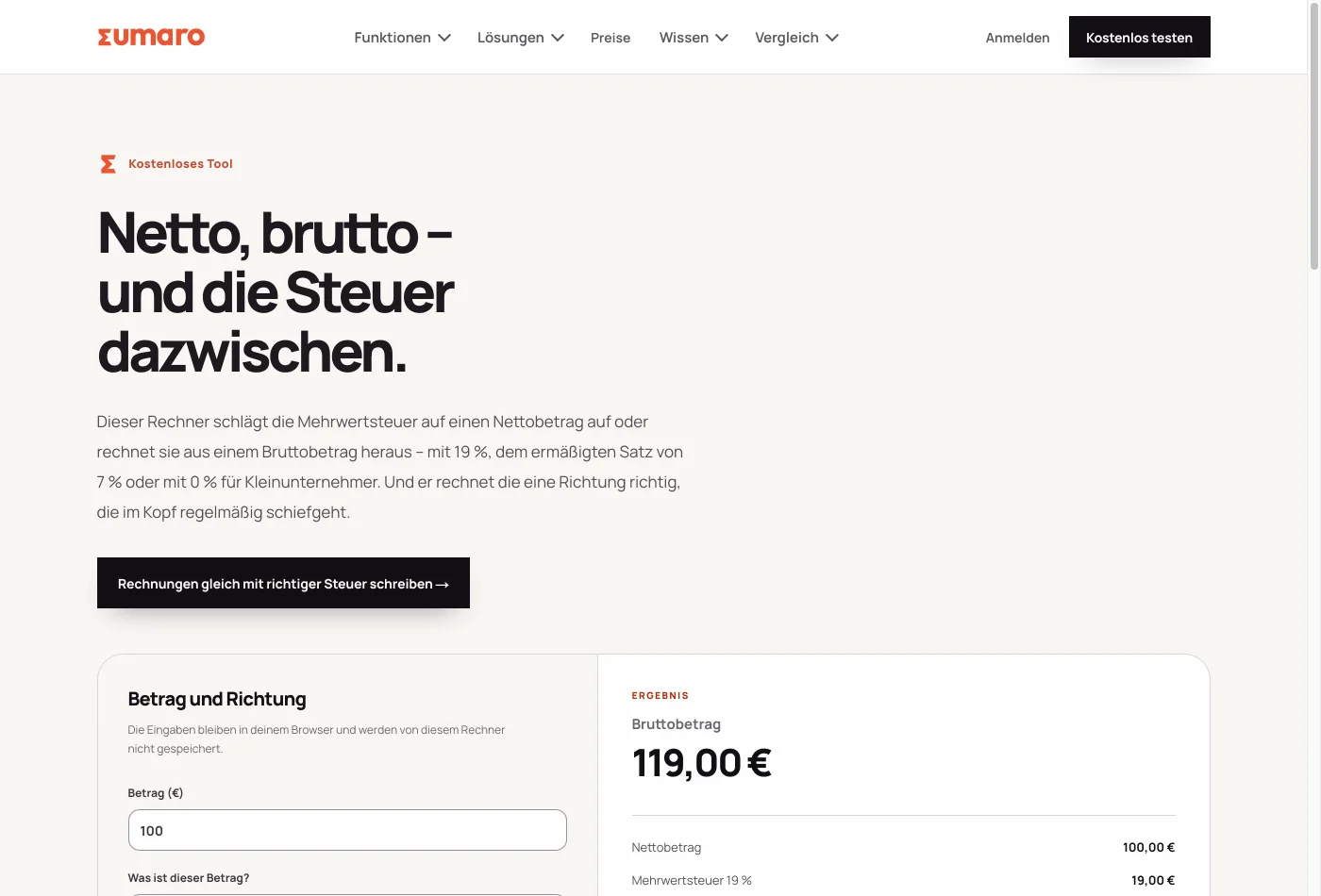
So that the result doesn’t read like interchangeable AI text, the agent needs rules – ours come from real rounds of corrections: overly colorful areas became white with fine lines, two accent colors became one, every exaggeration was cut, and every change was checked with a screenshot before it counted. Distilled, that gives you the prompt to start with – copy it, adapt it, get going:
The master prompt to copy
You are my coding agent for the website of my self-employed business.
Before you build anything, these rules apply:

1. Measure first, then build. Every new page first needs a
   measured keyword with search volume, competition and difficulty.
   No pages "on a hunch".
2. Only claim what the product can do. Create a truth list:
   feature, evidence in the product, allowed wording. Everything
   else goes – even if it sounds better.
3. Banned words: "guaranteed", "fully automatic", "legally compliant"
   and any promise a court could examine. Build a script that
   checks the copy for them automatically.
4. Design: white surfaces and fine lines instead of tinted boxes,
   exactly one accent color, text first. It has to look good on
   mobile first, not last.
5. One page per topic, one topic per page. The page title says
   what I do and for whom – not "Welcome".
6. After every change: take a screenshot, check it yourself, only
   then show it to me. If something can't be backed up, tell me
   instead of making it up.
7. Keep a list of all pages and keywords as a file in the project,
   and a test that breaks when the counts go out of date.

Now ask me, one question at a time: What do I offer, and for whom?
What can my offer demonstrably do? And which three topics do my
clients search for most often?
If you don’t want to use a coding agent, a website builder gets you there too – that path is in the chapter Building a website with AI. The rules from the prompt apply there just the same.
Step 7 – Measure and report honestly
SEO works in months, not days – anyone who promises you faster results is selling something. That is why doing it yourself includes an honest baseline. Ours, from Search Console, for the first 24 hours after setup:
| Search Console, August 19–20, 2026 | Value |
|---|---|
| Clicks | 0 |
| Impressions | 28 |
| Pages with impressions | 8 |
| Distinct search queries | 14 |
| Best page (dunning software), avg. position | ≈ 78 |
Zero clicks, position 78 – this is what day 1 really looks like, and that is exactly why it is here. One observation from our measurements belongs here too, in fairness: the classic SEO search terms themselves are currently losing volume by double digits – part of search is moving to AI answers. So we build pages that serve both: classic rankings and being quotable in AI Overviews (clear statements, backed-up numbers, named sources). This guide is the example of that, too.
The results log
The build-in-public promise of this guide: here we add what the method measurably delivers – even if it is slow. No picking only the good months.
- August 20, 2026 – day 1: 47 pages live, 1,238 measured keywords in the plan, $2.79 in data costs in total. Search Console: 0 clicks, 28 impressions. Sumaro does not appear in AI answers yet – we measured that too and noted it as the baseline.
Tools and sources
The tools mentioned are independent providers with their own prices and terms; what counts is their current version. This guide describes our approach and is not legal or tax advice.
The best proof of the method is the product behind it.
Sumaro is the invoicing and bookkeeping software this path was built for. When your client acquisition pays off, Sumaro brings estimate, invoice and incoming payment together – try free for 30 days.