Skip to content
E-invoice

Create e-invoices without rebuilding your invoicing workflow.

An e-invoice is more than a PDF sent by email. Sumaro uses the invoice details you already know for XRechnung or ZUGFeRD and then keeps the file in the same workflow as due date and payment.

  • Structured invoice data
  • XRechnung output
  • ZUGFeRD output
Structured invoice data
XRechnung output
ZUGFeRD output
Controlled approvals
The problem behind the problem

The format must not become a second invoicing process.

New data formats quickly create double work: one document for people, one file for systems and unclear mandatory fields in between. Sumaro connects structured output with the process you already know.

How Sumaro solves it

Enter once, output in the right format, check before sending.

Step 01

One set of content, two formats – no double upkeep

You enter recipient, service, amounts and payment details in one place. Sumaro uses this information for the respective electronic output.

  • Reuse client details
  • Enter service and tax details
  • Check before exporting
See the workflow
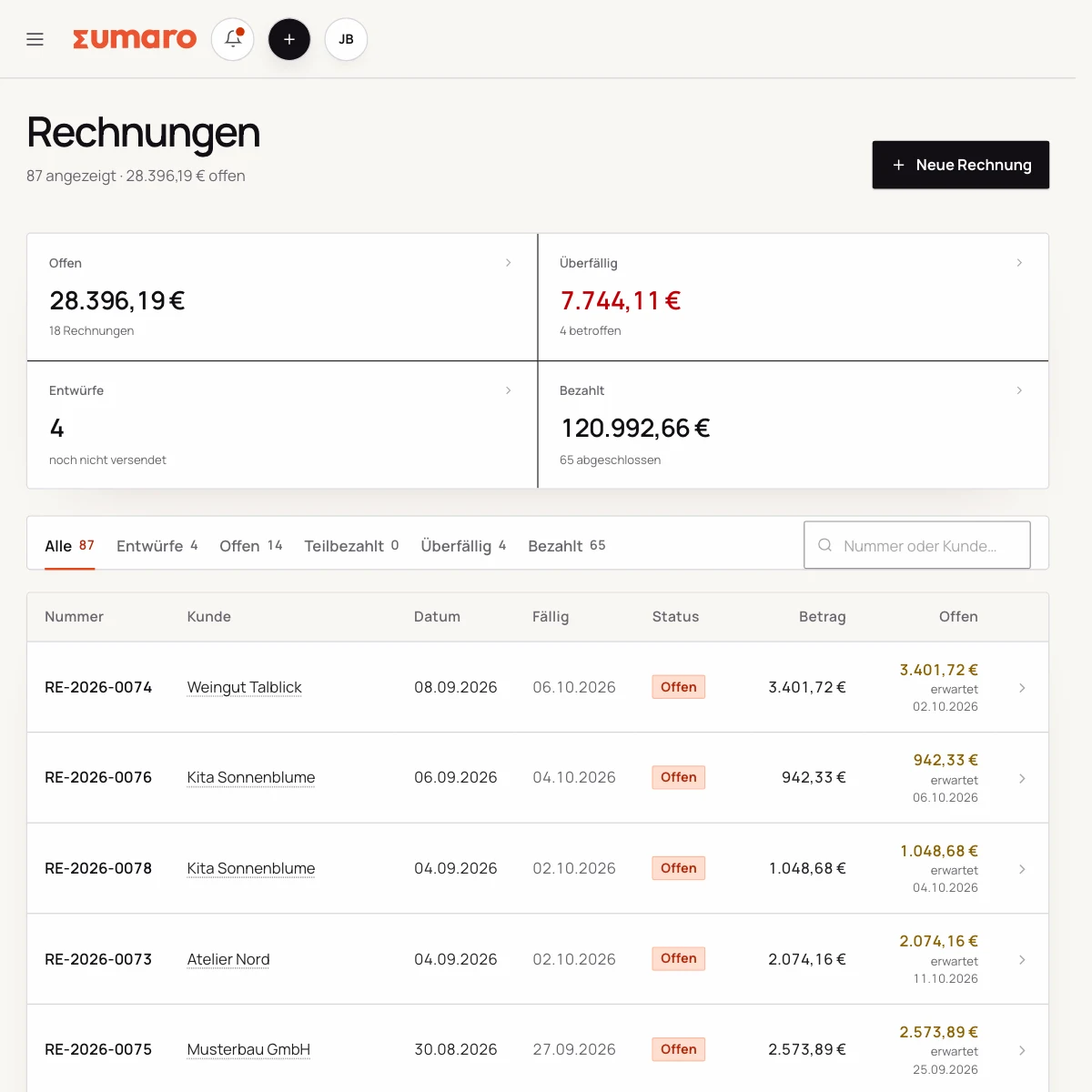
Sumaro invoice list with status, amounts and open items
Step 02

The right e-invoice format without a new process

XRechnung is a structured XML format. ZUGFeRD combines a readable PDF with embedded structured data. Which format fits depends on the recipient and the transaction.

  • XRechnung for XML-based processing
  • ZUGFeRD for PDF plus XML
  • Mind the recipient’s requirements
See the workflow
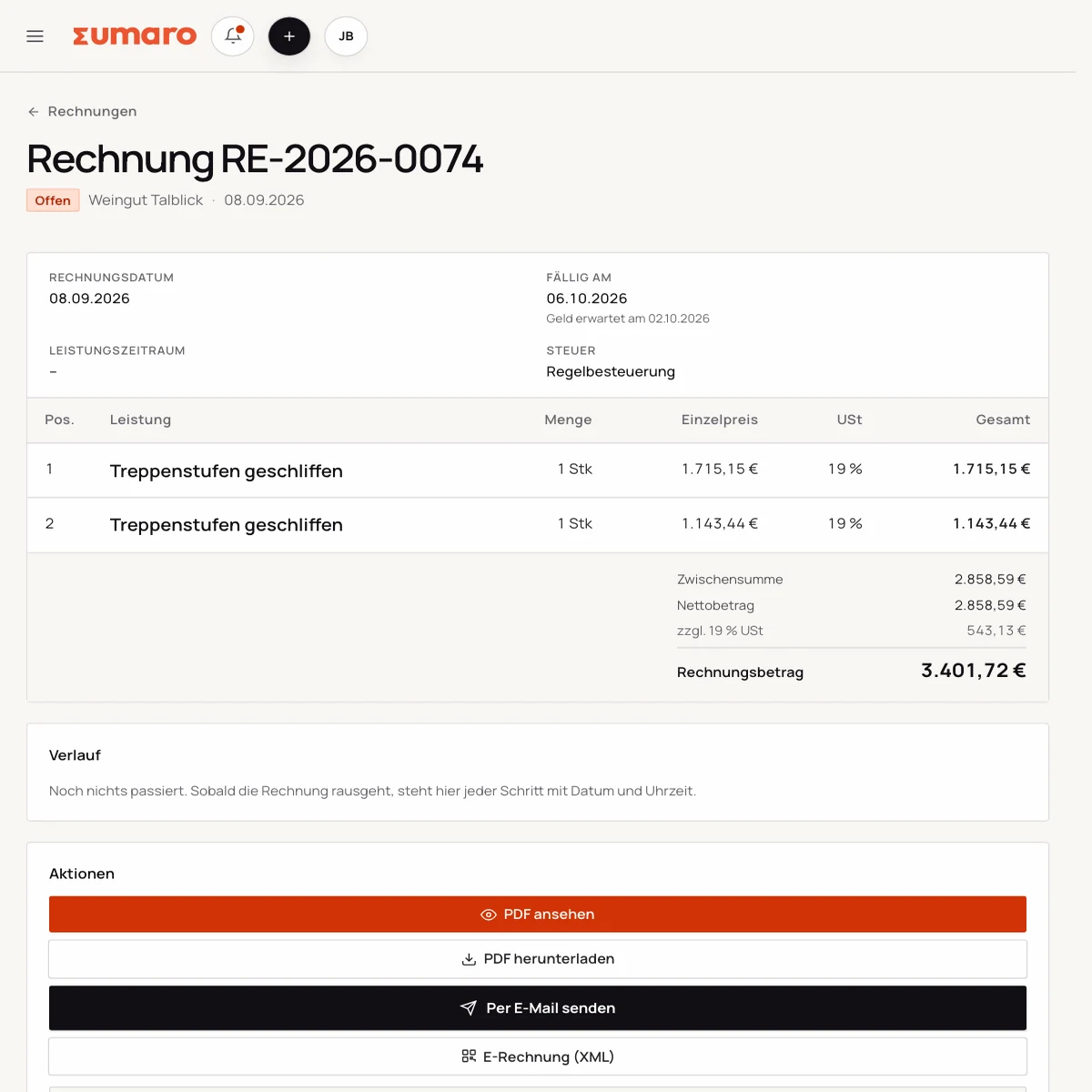
E-invoice output in Sumaro with a choice between XRechnung and ZUGFeRD
Step 03

Check before exporting, so the next step is clear

A technical format and an invoice that is correct in substance are two different things. Before sending, check the recipient, date of service, tax treatment and references in particular.

  • Keep mandatory fields complete
  • File the output traceably
  • Get expert advice on individual cases
See the workflow
Finance cockpit · Time saved

Less follow-up work after every job. More time for your business.

Sumaro brings automation, AI help and a financial overview into one workspace. You copy less from one place to another and review the items where your decision really counts.

The actual time saved depends on your workflow. That is why you can measure it during the trial: time your current monthly routine once, then run the same client case in Sumaro and compare the review steps that remain.

AI help for estimates requires an enabled AI configuration. Sumaro deliberately describes automation and AI separately.

See Autopilot and the finance cockpit →
01

Recurring invoices

Sumaro creates due invoice drafts in advance, with service period and payment terms, for you to review.

02

Incoming payments

You import bank transactions as a CSV. Sumaro reconciles the imported transactions and matches unambiguous incoming payments to open invoices.

03

Reminders and dunning letters

The daily dunning run prepares the letters that are due. Nothing is sent until you approve it.

04

Receipts inbox

Receipts from the monitored mailbox are collected regularly in one place for review.

05

Financial bearings

Payment horizon, revenue gaps and an expected tax reserve show what matters next.

In short: Sumaro cuts the business follow-up work where it repeats every month. The Autopilot prepares plannable tasks, the AI helps with estimates, and the dashboard organizes incoming payments, open items, revenue gaps and the tax reserve. Critical steps deliberately stay reviewable, so you save time without giving up control.

In practice

What actually counts day to day.

Keep the technical output and the invoice itself apart

XRechnung and ZUGFeRD handle the technical side of sending. They do not tell you whether the service is described correctly, the right tax rate was chosen or the payment term was agreed. Sumaro brings both levels together: you maintain the business transaction and then check the structured output.

This separation prevents false promises. A generated XML file is not automatically certified or valid for every recipient. Check format, profile and reference fields with a real recipient before you switch your process.

E-invoices in your client process

Before the first send, find out whether your client requires a portal, a specific profile or additional details. Then test one complete transaction and keep the original file next to the proof of sending. If an invoice is rejected, the specific error message helps more than a new export with random changes.

Receiving and issuing are separate topics. Even if you do not yet have to issue every invoice electronically, you should be able to accept incoming structured files unchanged and store them where you can find them.

Staying understandable for small teams

The interface should explain mandatory fields instead of just showing technical abbreviations. A note on the Leitweg-ID (the routing ID public-sector recipients require), the buyer reference or small business status belongs at the step where it matters, not in sprawling documentation.

That way one person can use a digital process without starting an e-invoicing project. Responsibility for the content and for checking the current legal situation still explicitly stays with the business.

A clear start without a certification promise

You can start with a familiar client case and agree the required output with the recipient. A controlled test with one invoice, a validator and a proof of sending shows faster than an abstract feature list whether your process works.

That is why Sumaro describes concretely what the app prepares and where you need to check things yourself. This matters especially when statutory transition rules or recipient requirements change.

Questions before you start

What you want to know before the trial.

No feature promise without context. Here is what Sumaro prepares, what you check and how getting started works.

Does Sumaro support XRechnung and ZUGFeRD?

Sumaro supports structured XRechnung and ZUGFeRD output from your invoice data. You check the format, profile and recipient requirements before sending.

Does an e-invoice replace reviewing the content?

No. Sumaro prepares the output. Recipient, date of service, tax treatment, references and the current legal situation still need to be checked.

The next step

Create your next e-invoice in your real workflow.

Test a concrete client case, agree on the format with the recipient and check the output before sending. That way you quickly see whether Sumaro fits your process.