Skip to content
For small business owners

Write invoices without managing every job twice.

Your first invoicing software should make getting started easier: store your company details and the Kleinunternehmer notice (the statement that no VAT is charged), create invoice drafts with Ari and keep an eye on open payments. The small business rule (Kleinunternehmerregelung, § 19 UStG) is a tax setting, not a status you get by starting a business.

  • 30 days, no contract
  • €19 per month plus VAT
  • Built for solo service providers
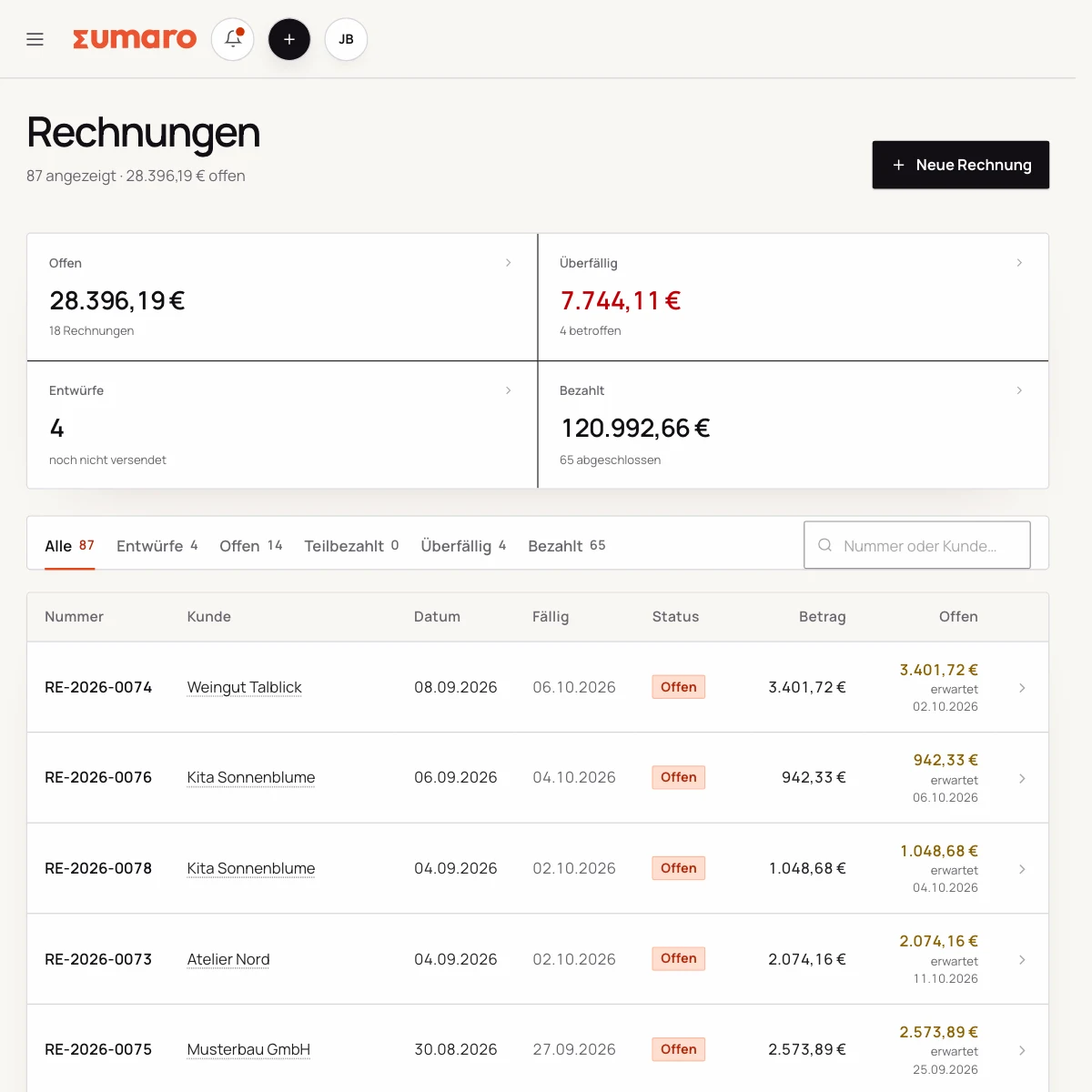
Sumaro invoice overview with fictional sample data
Real Sumaro interface · fictional sample data
30 days, no contract
€19 per month plus VAT
Built for solo service providers
Controlled approvals
The problem behind the problem

Your job is done – but the admin work is only just starting.

If you gather client details, service period, payment terms and the Kleinunternehmer notice from scratch every time, every invoice becomes its own mini-process. Sumaro keeps this information together, so you maintain it once and reuse it in the next step.

How Sumaro solves it

Less copying between documents. More invoices done.

Step 01

From estimate to invoice without a new record

Take client details and line items from an estimate, continue the invoice in the same workspace and see which payment is still missing. That way the connection stays intact.

  • Estimates and invoices with their own number series
  • Status and due date visible
  • PDF output for sending
See the workflow
Step 02

Prepare the Kleinunternehmer notice correctly

If you use the small business rule, the invoice needs a matching notice. Sumaro covers this use case. If in doubt, check with your tax advisor which rule applies to you.

  • Store your company details once
  • Record the service period and payment terms
  • Check the document before sending
See the workflow
Step 03

See open amounts before they sit untouched

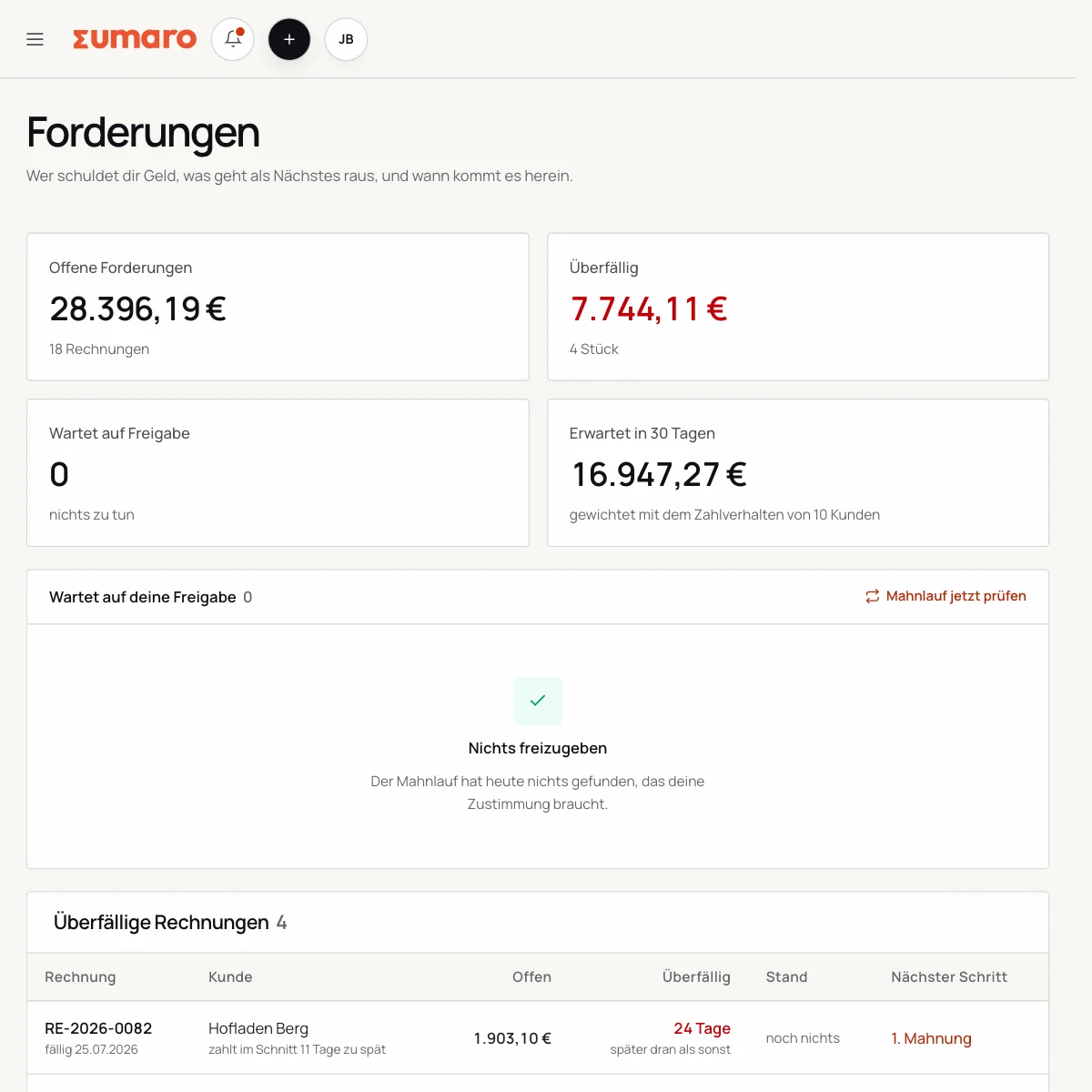
Open receivables, recorded expenses and recent incoming payments don’t live in separate files. The overview shows you where action is needed.

  • Open and overdue invoices
  • Expenses with matched receipts
  • Prepared monthly overviews
See the workflow
Sumaro receivables list with typical payment behavior and expected payment date
In practice

What actually counts day to day.

Being new to self-employment and being a small business owner are two separate questions

Whether the small business rule (Kleinunternehmerregelung, § 19 UStG) applies to you does not depend on whether this is your first invoice. Clarify your tax status first, then enter the matching settings in Sumaro.

Start with a draft. Check your business details, the service and the tax note in the preview before you send your first invoice.

Ari helps with the first draft

Describe your service, quantity and price in a message. Ari can prepare a draft invoice from it. Checking the details stays with you.

For the next job, you use existing client details and invoices as the starting point. That way your workspace grows with the work you actually do.

Putting payments and reserves in context

Import bank transactions via CSV and check how they are matched to open invoices. There is currently no direct bank connection.

The tax reserve is an estimate based on your details. Tax payments you have already matched are taken into account; future business costs and private expenses are not factored in.

Set up and get started

To start, you enter your business details, clients and a number range. Then you create a real sample invoice and check the layout, the tax note and the payment term. Only once this workflow fits do you bring over other open work.

The 30-day trial is meant for testing your own process. The trial ends on its own; after that, the transparent monthly plan applies. Individual legal or tax questions are something you clarify independently of the software.

Questions before you start

What you want to know before the trial.

No feature promise without context. Here is what Sumaro prepares, what you check and how getting started works.

Can I check the small business notice (Kleinunternehmer, § 19 UStG) before sending?

Yes. Sumaro prepares your business and invoice details. You check the notice and the other details before sending; individual tax questions are for you to settle with your tax advisor.

Can I run a job all the way through to payment?

Yes. Add a client, create an estimate, turn it into an invoice and match the incoming payment. That way you test the workflow with a real example.

The next step

Test how much admin work you can save yourself.

Create a real client, an estimate and an invoice. After 30 days, you’ll know whether Sumaro really simplifies your workflow – no contract, cancel any month.