Skip to content
For solo service providers

From estimate to payment: less follow-up work after every job.

Looking for your first invoicing software for consulting, design or other services? With Ari, you prepare invoice drafts by message. Sumaro shows work that hasn’t been billed yet, open payments and estimated tax reserves.

  • Link projects and clients
  • Carry estimates forward
  • Keep track of payments
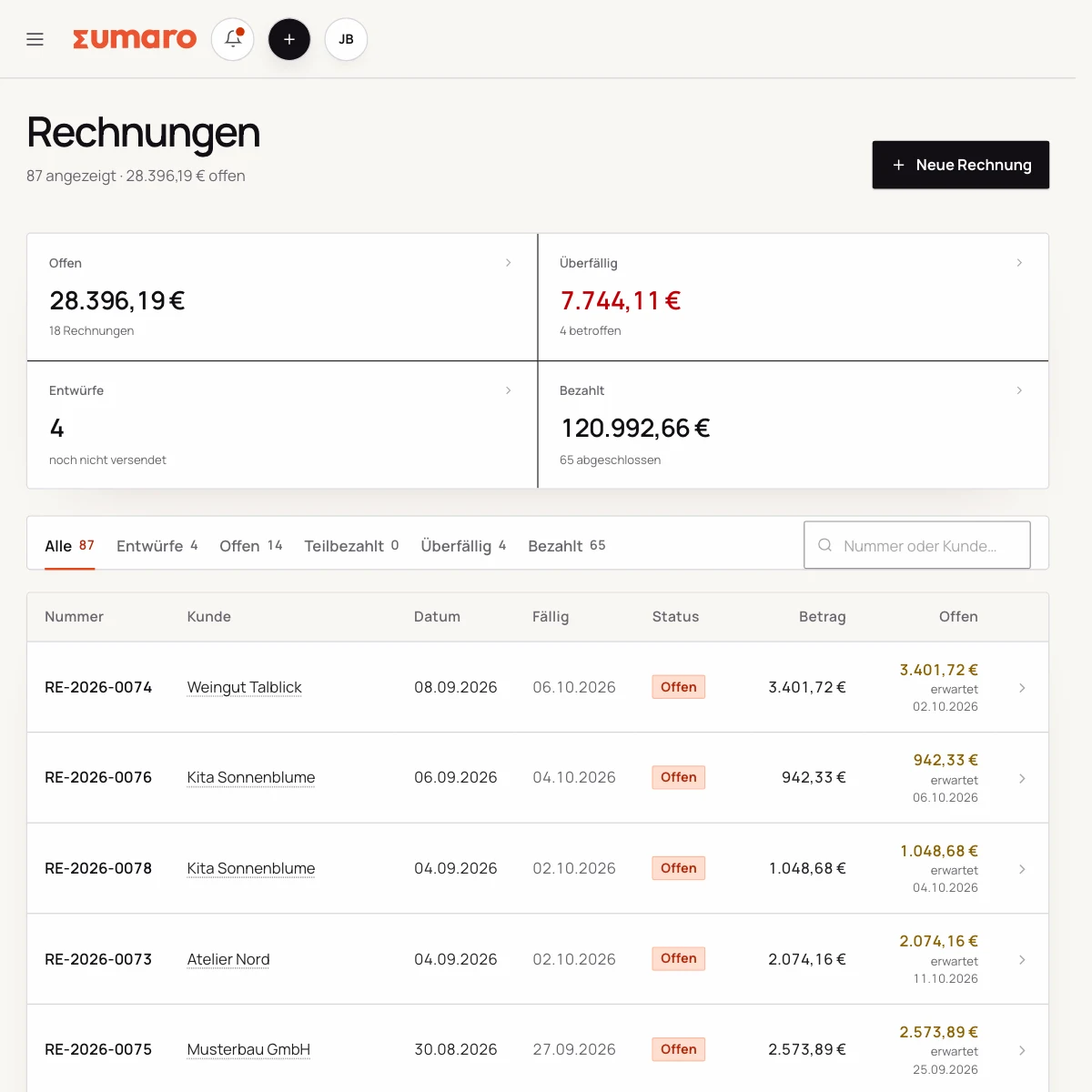
Sumaro invoice overview with fictional sample data
Real Sumaro interface · fictional sample data
Link projects and clients
Carry estimates forward
Keep track of payments
Controlled approvals
The problem behind the problem

You want to do client work – not plug gaps in your admin.

When information is scattered across project folders, emails and invoice lists, every job costs time before any money reaches your account. Sumaro connects the steps that belong together anyway.

How Sumaro solves it

A job stays connected until the payment is matched.

Step 01

Stop gathering client details and line items all over again

From the first estimate to the invoice, client details, line items and attachments stay traceable. Changes can be made where they arise.

  • Clients and projects in one place
  • Estimates with attachments
  • Invoices from existing data
See the workflow
Step 02

Don’t rebuild recurring services every month

Regular services need a reliable rhythm. Templates and recurring workflows reduce the manual work on monthly invoices.

  • Recurring invoice templates
  • Clear next due dates
  • Traceable activity
See the workflow
Step 03

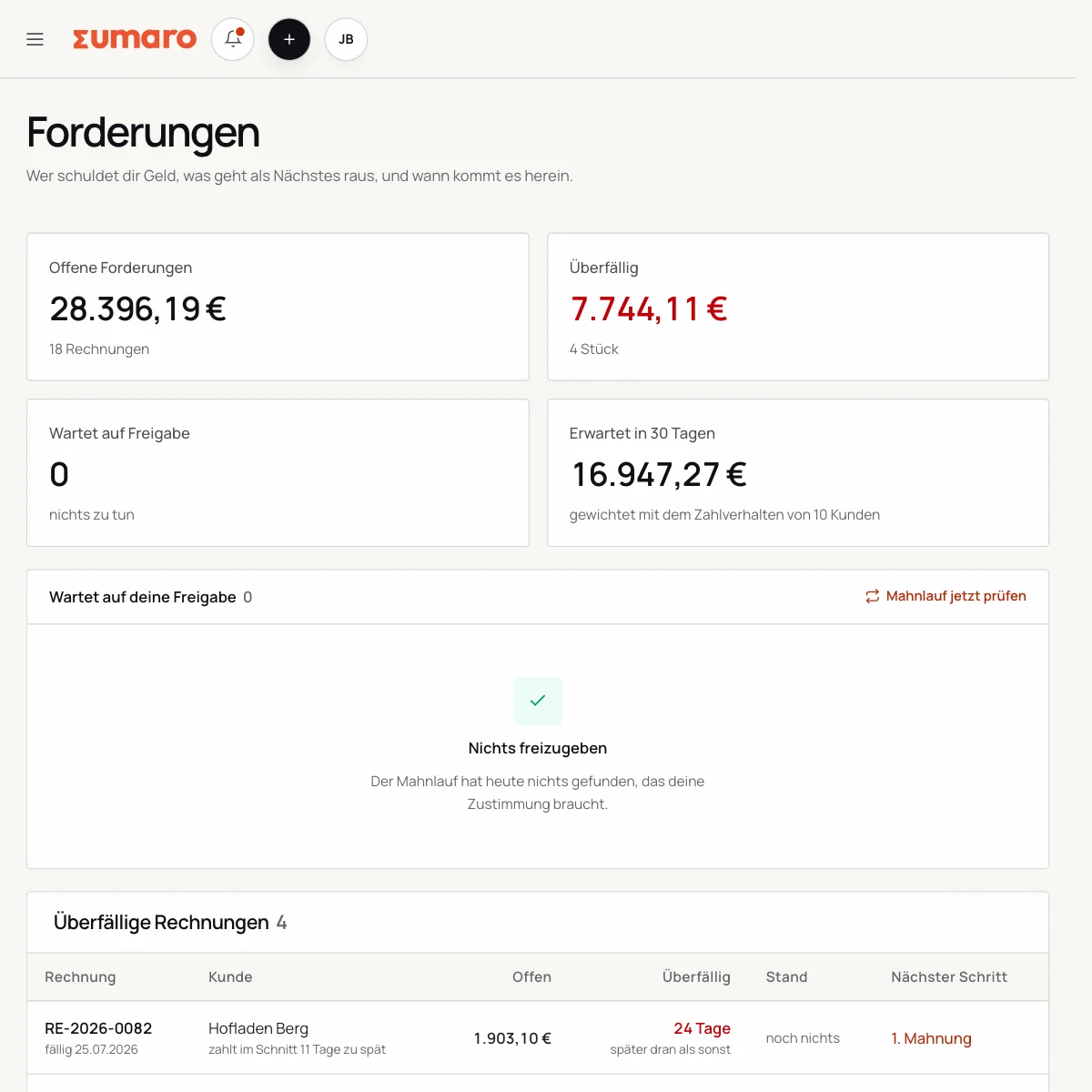
See open amounts before you have to chase them

An invoice is only done when it’s paid. Sumaro puts open and overdue receivables right next to your ongoing work.

  • Due dates at a glance
  • Match payments
  • Send prepared dunning letters
See the workflow
Sumaro receivables list with typical payment behavior and expected payment date
In practice

What actually counts day to day.

One job is the right first test

Create a client and a draft invoice. Use a service you have already delivered as the example and check the line items and price. Then see whether you can follow your open amounts in Sumaro without your old spreadsheet.

Finding billable work again

Sumaro shows accepted estimates without an invoice, expenses not yet billed on to clients, and drafts that have been left sitting. These hints refer to the work recorded in Sumaro. You decide which of it should actually be billed.

Taking your current workflow into account

You can bring over client lists as CSV. There is no general document import for Word or Excel invoices. Start new work in Sumaro and keep the old originals.

Bank transactions are imported via CSV. Test your bank’s export and the handover to your tax advisor before you switch your day-to-day workflow.

A decision based on real examples

The fastest test is a job you already know. Create the client and project, turn the estimate into an invoice and match a payment. You will notice whether the connection saves time day to day or just adds another interface.

If you work with several people, also check roles, workspace separation and export. Each user should only see their own workspace’s data; Sumaro takes this boundary into account both technically and organizationally.

Questions before you start

What you want to know before the trial.

No feature promise without context. Here is what Sumaro prepares, what you check and how getting started works.

Do project, estimate and invoice stay connected?

Yes. Sumaro carries client details, line items and status forward in the same record, so you do not have to piece the job back together from several lists.

How do I keep recurring services under control?

Templates and recurring workflows prepare the next step. You check the period, price, recipient and service before finalizing.

The next step

Turn your next client job into a real test.

Run a realistic client case from estimate to payment and check where Sumaro saves you follow-up work. Free for 30 days, no contract.